
Evonet: Tunnel Workplace Connector
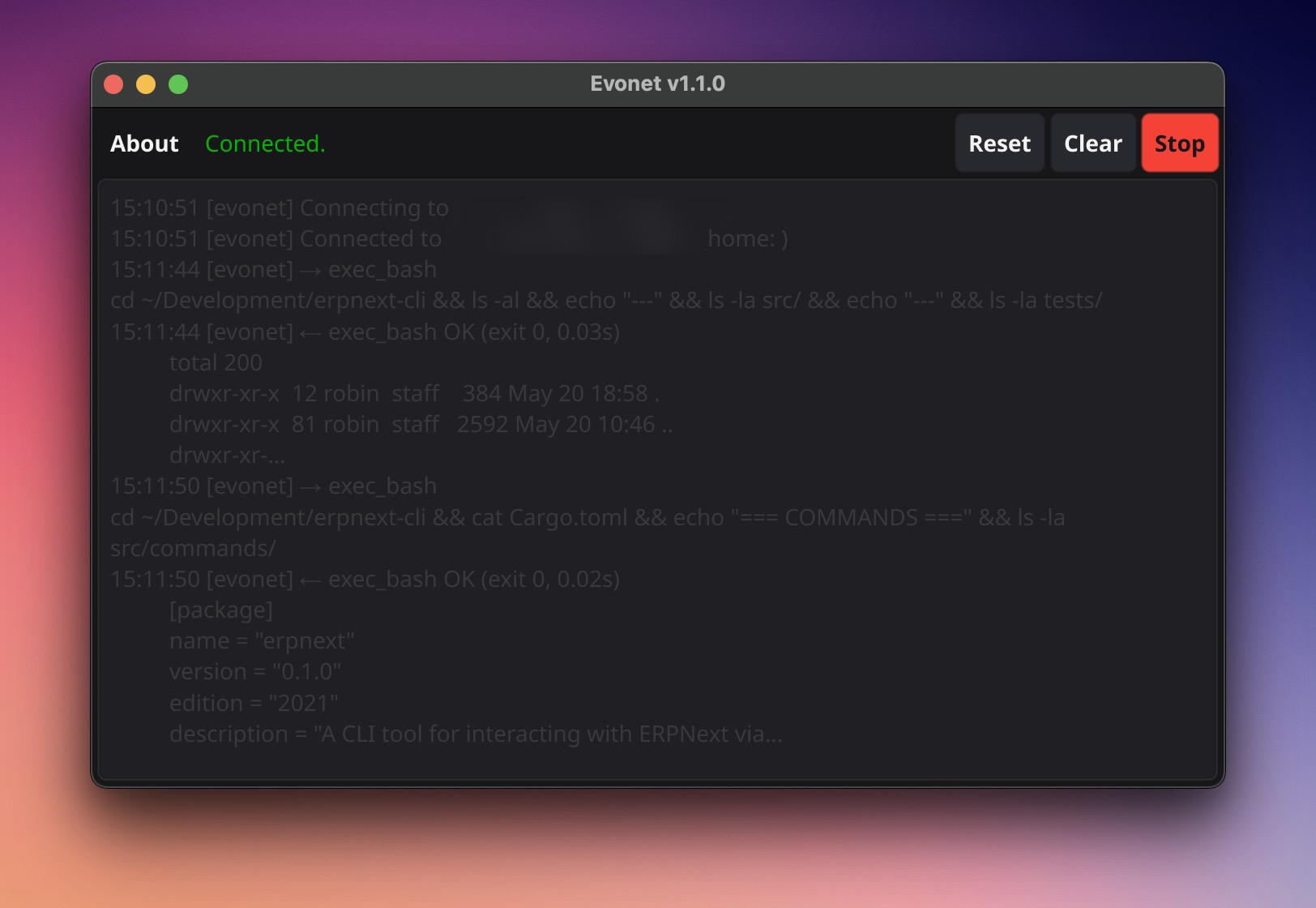
Evonet is a lightweight Go binary that runs on a target device and connects it to an Evonic server over WebSocket. Once connected, agents can execute bash scripts, Python code, and file operations on that device: without SSH, port forwarding, or a public IP address.
It’s the backend for Tunnel Workplaces. See Workplaces for the Evonic-side setup.
How It Works
Section titled “How It Works”Agent (Evonic server) ──── WebSocket (outbound) ──── Evonet (your device) │ bash / python / filesEvonet makes the connection outbound from the device, so the device needs no open inbound ports. Any device that can reach the Evonic server URL works: home networks, corporate firewalls, cloud VMs, Raspberry Pis.
Installation
Section titled “Installation”Download a pre-built binary
Section titled “Download a pre-built binary”Download the binary for your platform from the Evonic releases page:
# Linux (amd64)curl -L https://your-evonic-server/releases/evonet-linux-amd64 -o evonetchmod +x evonetsudo mv evonet /usr/local/bin/Build from source
Section titled “Build from source”Requires Go 1.21+.
git clone https://github.com/anvie/evoniccd evonet/make build # current platformmake build-linux # Linux amd64make build-macos # macOS arm64 + amd64make build-windows # Windows amd64make build-gui-macos # macOS GUI app (.app bundle) — requires fyne CLIQuick Start
Section titled “Quick Start”1. Pair with your Evonic server
In the Evonic UI, open a Tunnel Workplace → click Generate Pairing Code → copy the 6-character code.
On the device:
evonet pair --code X7KQ2M --server https://your-evonic-server.com2. Connect
evonet run # auto-reconnect (recommended)The Workplace status in the UI turns green. Agents assigned to this Workplace can now run commands on the device.
Commands
Section titled “Commands”evonet pair --code <CODE> --server <URL> Pair with Evonic serverevonet start Connect (exits on disconnect)evonet run Connect with auto-reconnectevonet status Show pairing statusevonet unpair Clear credentialsOptions for start / run
Section titled “Options for start / run”--config <path> Config file (default: ~/.evonet/config.yaml)--server <url> Override server URL--token <token> Override connector token--workdir <path> Override working directoryGUI Improvements
Section titled “GUI Improvements”Introduced in v0.5.0.
The Evonet GUI has been enhanced for a better user experience:
- Clear button — a Clear button in the toolbar lets you clear the current output without restarting the application (#343)
- Version in window title — the Evonet version number is now displayed in the application window title, making it easy to verify which version is running
- macOS metadata — a
FyneApp.tomlconfiguration file provides proper macOS app metadata (app name, version, icon) when building for macOS
Configuration
Section titled “Configuration”Config is resolved in priority order (highest wins):
- CLI flags
~/.evonet/config.yaml(written byevonet pair)- Config embedded in the binary
server_url: https://your-evonic-server.comconnector_token: tok_abc123...workplace_id: workplace_xyzworkplace_name: My Serverworkspace_path: /home/user/workspaceRunning as a Service
Section titled “Running as a Service”systemd (Linux)
Section titled “systemd (Linux)”[Unit]Description=Evonet Tunnel Workplace ConnectorAfter=network.target
[Service]ExecStart=/usr/local/bin/evonet runRestart=on-failureRestartSec=5User=ubuntu
[Install]WantedBy=multi-user.targetsudo systemctl enable --now evonetmacOS (launchd)
Section titled “macOS (launchd)”<?xml version="1.0" encoding="UTF-8"?><!DOCTYPE plist PUBLIC "-//Apple//DTD PLIST 1.0//EN" "http://www.apple.com/DTDs/PropertyList-1.0.dtd"><plist version="1.0"><dict> <key>Label</key><string>com.evonic.evonet</string> <key>ProgramArguments</key> <array><string>/usr/local/bin/evonet</string><string>run</string></array> <key>RunAtLoad</key><true/> <key>KeepAlive</key><true/></dict></plist>launchctl load ~/Library/LaunchAgents/com.evonic.evonet.plistEmbedding Config in the Binary
Section titled “Embedding Config in the Binary”For distributing a pre-configured Evonet binary (e.g., to a teammate or a server):
# 1. Create config.jsoncat > config.json << 'EOF'{  "server_url": "https://your-evonic-server.com",  "connector_token": "tok_abc123...",  "workplace_id": "workplace_xyz",  "workspace_path": "/home/user/workspace"}EOF
# 2. Build and embedcd evonet/make embed CONFIG=../config.json
# 3. Distribute the 'evonet' binary: it auto-connects on 'evonet run'
The JSON config is appended after the binary using a magic marker. It can still be overridden by ~/.evonet/config.yaml or CLI flags.
Security Notes
Section titled “Security Notes”- The connector token is equivalent to a password: protect
~/.evonet/config.yamlwithchmod 600. - Pairing codes expire after 5 minutes. They cannot be reused.
exec_bashandexec_pythonrun with the OS privileges of theevonetprocess. Run Evonet as a dedicated least-privilege user.- All traffic flows over the WebSocket connection authenticated by the connector token (no additional auth per request).
See Also
Section titled “See Also”- Workplaces: Execution Environments: create and manage Workplaces in the Evonic UI
- Configuration Reference: server-side connector settings